Option A · LDAP directory
With the usual credentials
Everyone signs in with their corporate username and password. Joiners and leavers follow the organisation's directory: whoever leaves the company loses access.
Security and accessScreens, identity, permissions and history
Plyb TV locks compatible screens against anyone who shouldn't touch them and renews their credentials automatically. In the dashboard, it separates who can look, who can act and on what, and keeps a record of every change.
| Person | North | South | Central |
|---|---|---|---|
| it.centralIT | Edit | Edit | Edit |
| maria.opsSouth operations | No access | Edit | No access |
| reception.northReception | Edit | No access | No access |
| auditAudit | Read | Read | Read |
01Screen security
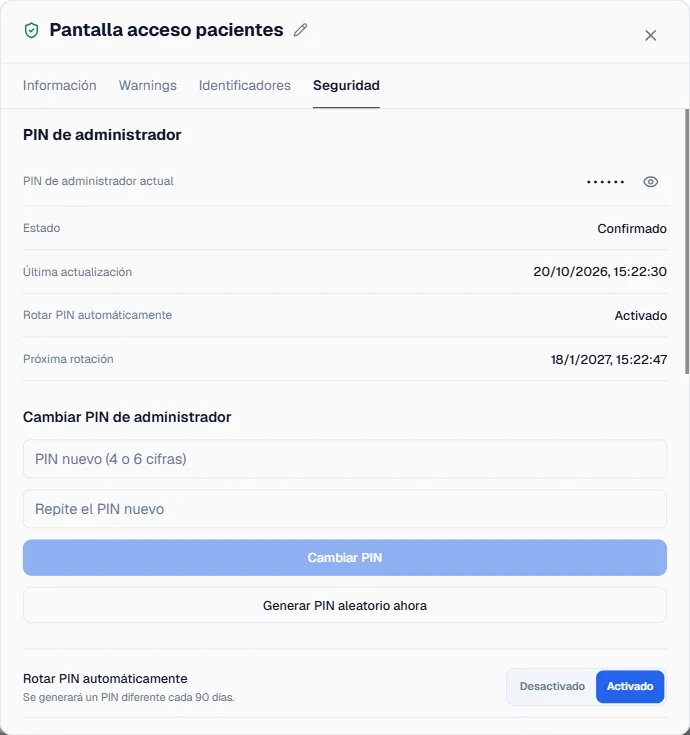
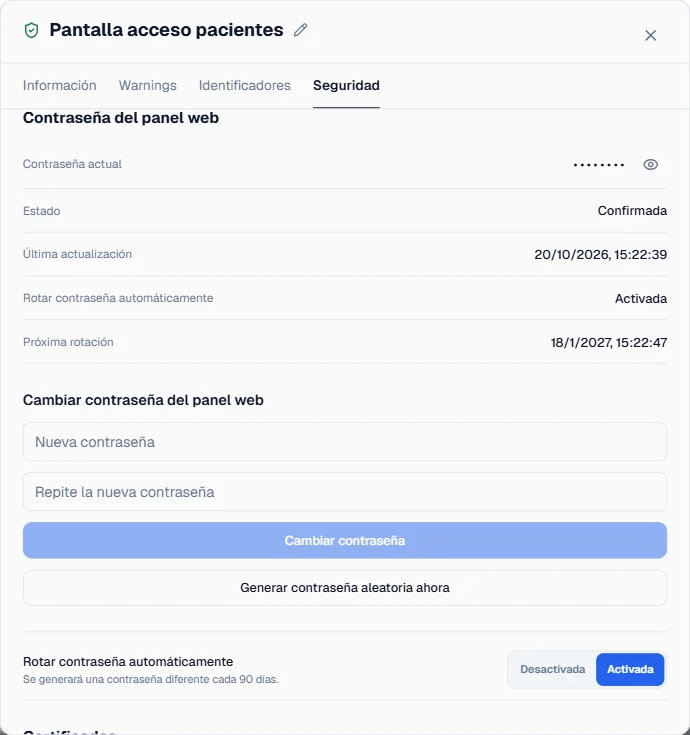
A screen in a corridor is a device on your network within anyone's reach. On LG Signage professional displays, Plyb TV locks the remote, USB ports, menus, network settings and screen sharing, and keeps the firmware and self-signed certificates up to date.
It also changes the admin PIN and the web panel password of every screen from the dashboard. And for organisations that have to meet device security requirements, it rotates them automatically at whatever interval you set, on models that support it.
02Identity
You choose one of the two at installation. With LDAP, people sign in only with directory accounts; with local users, only with the ones created in the platform. They can't be combined today.
Option A · LDAP directory
Everyone signs in with their corporate username and password. Joiners and leavers follow the organisation's directory: whoever leaves the company loses access.
Option B · Local users
The platform's own users, created and managed from the dashboard. For organisations without a corporate directory, or that prefer to keep Plyb TV separate.
03Permissions
Everyone sees and controls only what concerns them: one screen, a group or the whole network, depending on their role. Sharing an entire group is as easy as sharing a single screen.
Share · South site group
04History
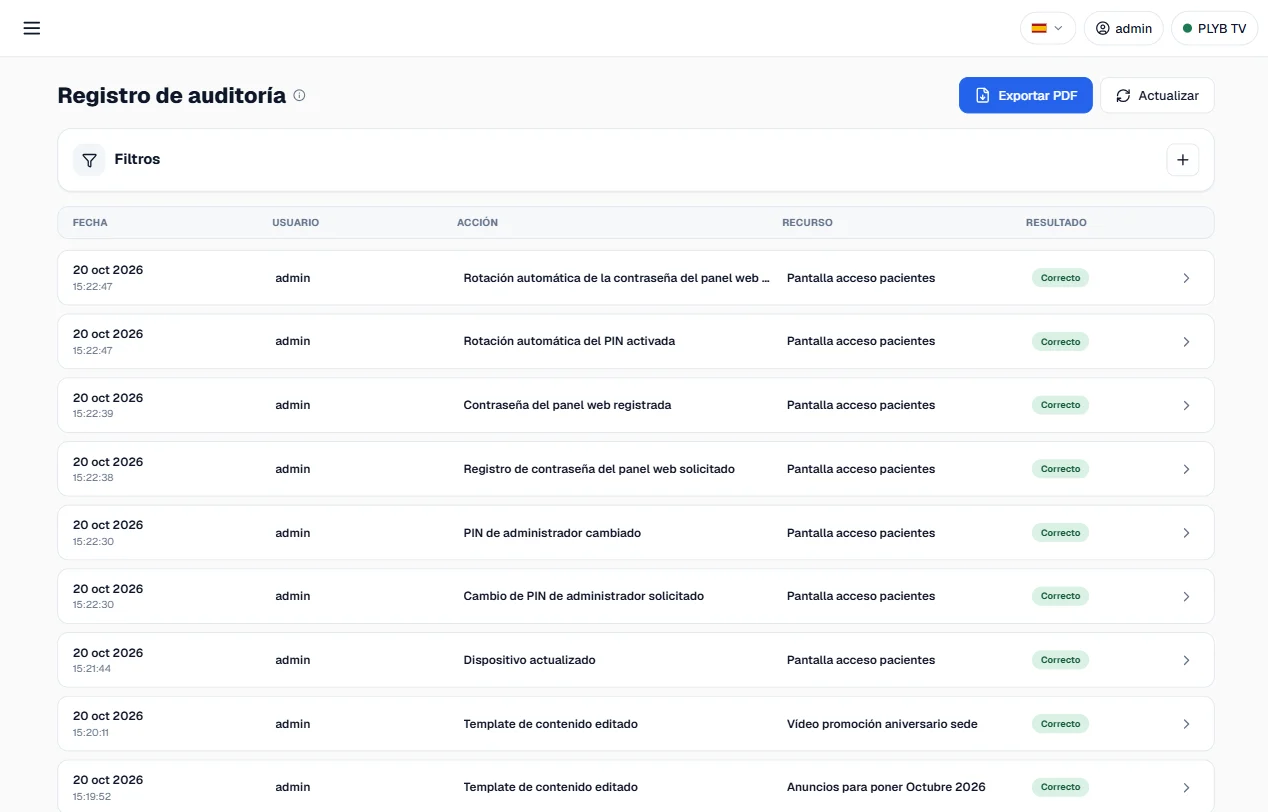
Every important action is recorded: who did it, when and with what result. You can look it up whenever you need and download it as a PDF.
Where it stops: it is a searchable, exportable action history, not a digitally signed audit or storage certified as tamper-proof. If your organisation needs that specific guarantee, tell us in the demo.