PlatformScreen management and security
Five parts, one system.
See the state of your screens, protect them, schedule them, decide what they show and control who touches what. All from the same web dashboard, with nothing to install on each computer.
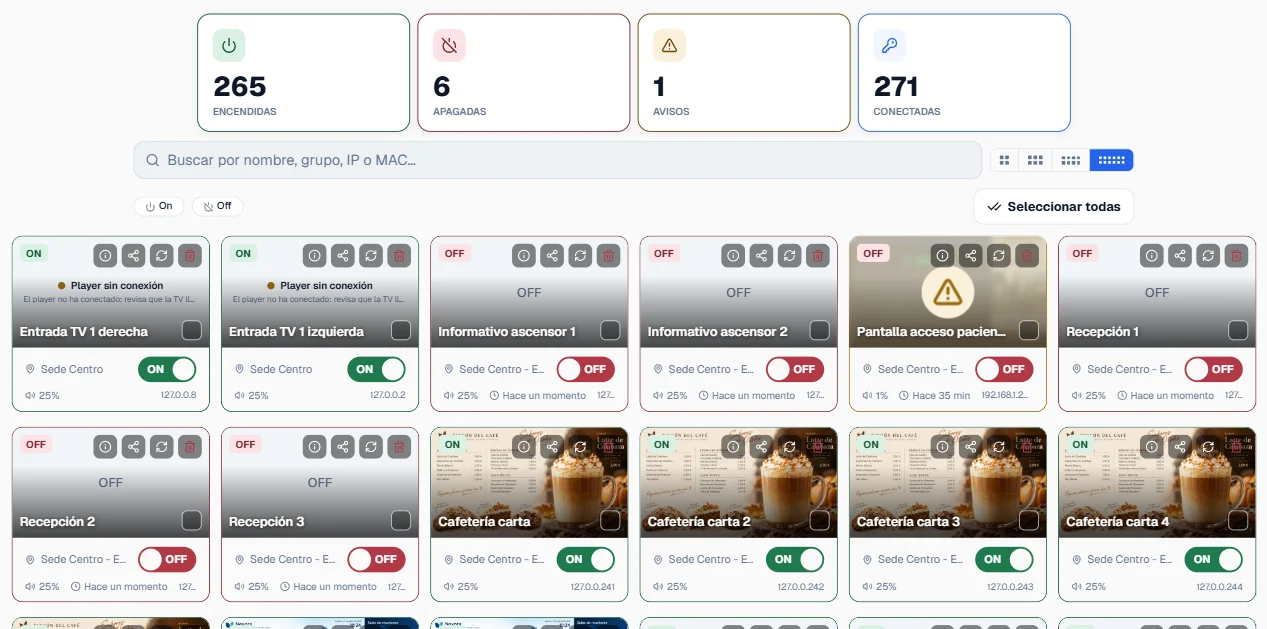
01See and act
Watch your screens and act right away.
The dashboard updates itself: which screen is on, which is off and which needs attention. Select one or several and send the command without standing in front of any of them.
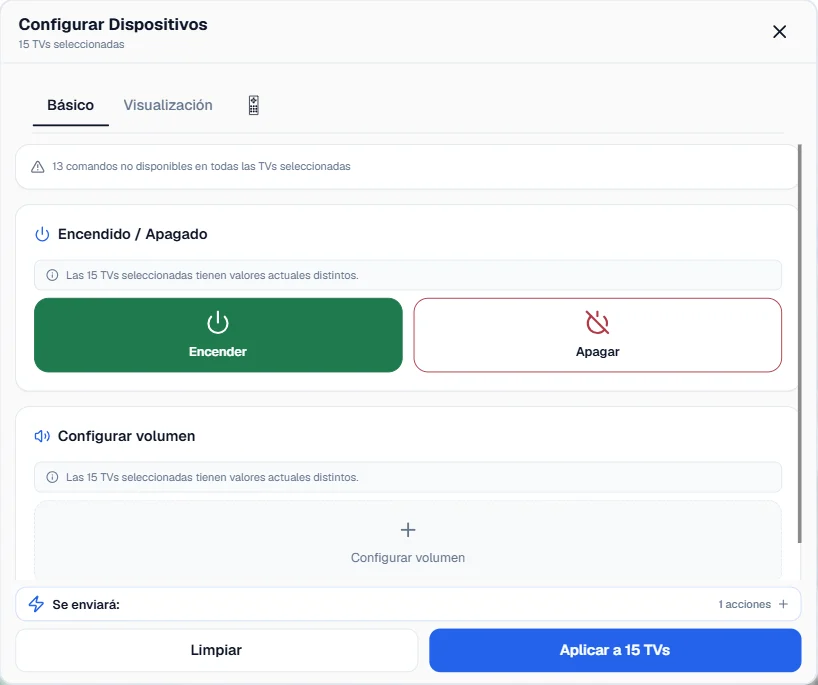
Before applying, the dashboard warns you which commands aren't available on some of the selected models. Afterwards, it confirms the result for each screen.

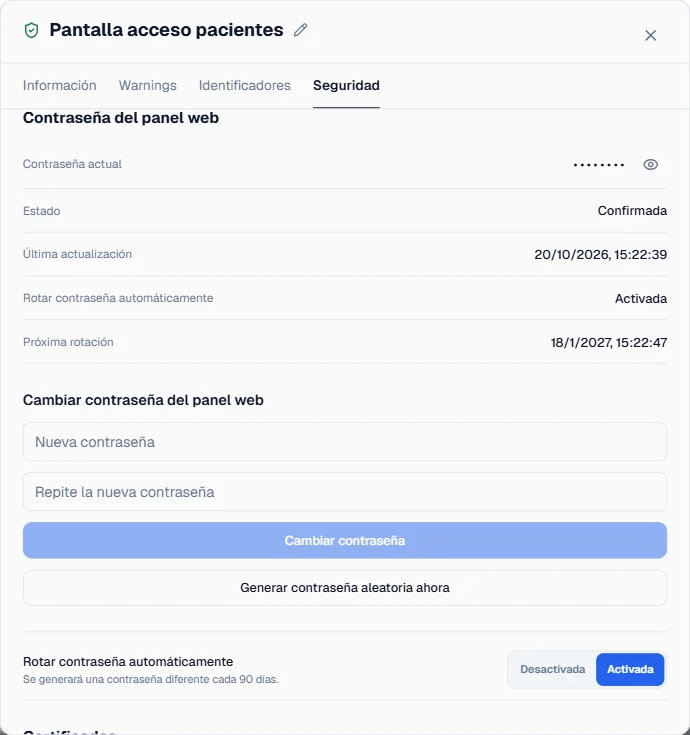
02Protect
Locked screens, credentials that rotate themselves.
On LG Signage professional displays, Plyb TV locks the remote, USB ports, menus, network settings and screen sharing, and updates the firmware and self-signed certificates.
From the dashboard it changes the admin PIN and the web panel password of every screen, and rotates them automatically at whatever interval you set, for organisations that have to meet device security requirements.
03Automate
Schedule once, run every day.
Power-ons, power-offs and content changes that repeat on their own, every day or every week. They apply to one screen, a group or several sites at once, and keep running even when nobody is watching.
Example · Lobby, all sites · Monday to Friday
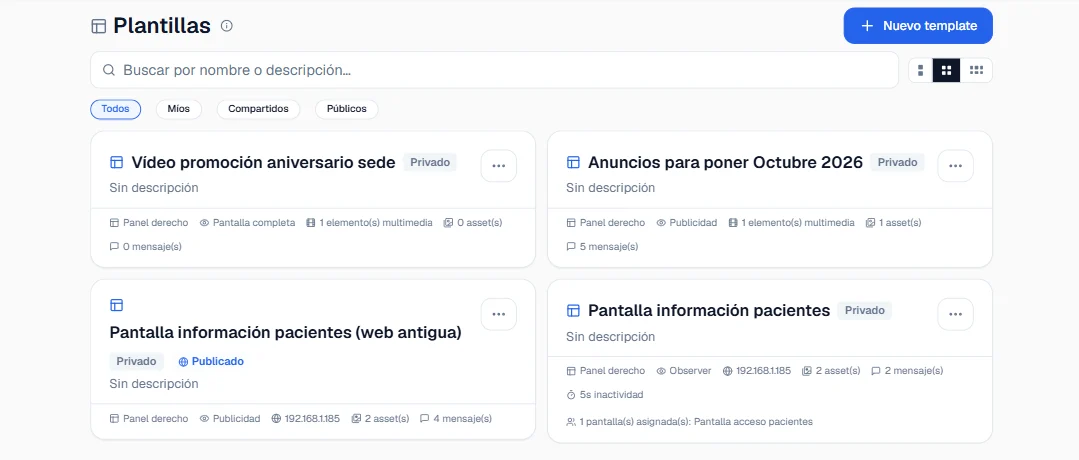
04Publish
Decide what's shown on each screen.
Upload images, videos or a web page, build the template and assign it from the dashboard to one screen, a group or all of them at once, whether they are LG Signage displays or LG WebOS TVs. The change shows up instantly, with no restarts and no trips to the screens.
Image · GIF · Video · Web · Carousel · Text ticker
05Delegate
Everyone sees what's theirs.
Give each person access to exactly what they need: every screen, one site or just one schedule. Every change is recorded, so you always know who did what.
The interface is available in 10 languages, and each user picks their own.
Share · South site group · 18 screens